Signatures without limits
Every mail carries the right signature, with current data from Entra ID, whether it comes from Outlook, a phone or a printer. You build it in a visual builder with live preview.
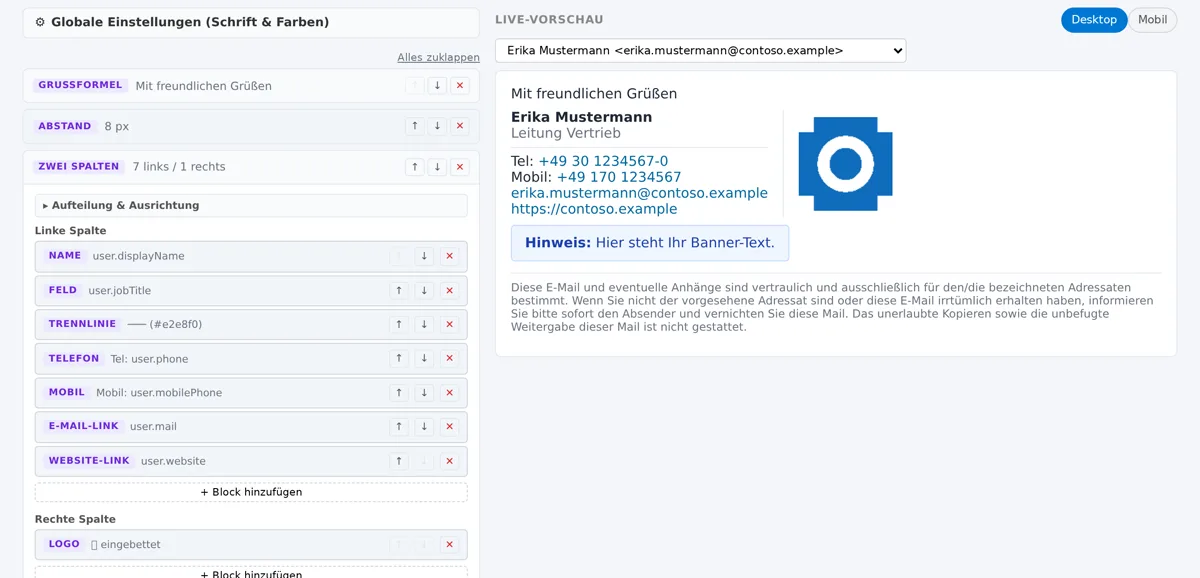
The screenshots and recordings show the German user interface.
Highlights
- Live data per sender: Name, job title, department, phone/mobile, office, company, website, Bookings link and custom attributes are read from Entra ID at send time, not from an outdated copy.
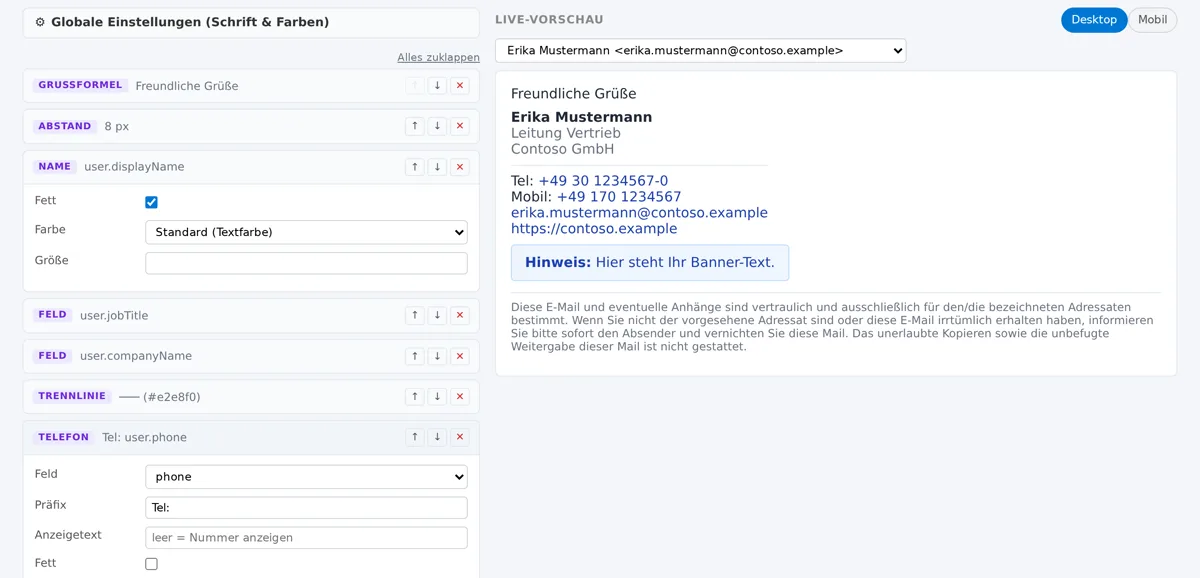
- A builder instead of fiddling with HTML: assemble signatures from blocks (name, contact lines, logo, divider, two columns, box with rounded corners, social links, address, badge, free HTML), with a preview for a chosen mailbox. If you prefer writing HTML, you can do that too.
- Fonts and conditions: pick the font from a list of common fonts, each with fallback fonts for recipients who don’t have it. Every block has “Show when”: always, only in your own mailbox or only in someone else’s. That way a shared mailbox shows the person writing next to the mailbox name.
- Import and export templates: download selected templates as a ZIP and take them over into another Gateway, or upload a package such as our sample templates (page in German). Before importing, a selection shows what goes in. Existing templates are never overwritten silently.
- Take over an existing signature: existing signature HTML is split into editable blocks. You don’t have to start from scratch.
- Reply signature, internal signature, banner, disclaimer: assignable separately on two levels: a default policy for everyone and group rules that take precedence. A mailbox can deviate unless a level locks the template. Purely internal mails can get their own, shorter signature and no banner or disclaimer.
- Dynamic groups: members by rule instead of by hand, from Entra attributes such as department, city or extension attributes, updated hourly. Before saving, a preview shows who joins and who drops out.
- Policy result: shows for each mailbox what the Gateway really adds to a new mail, a reply, an internal mail and
#nosig, each part with its origin and the reason when something is left out. The what-if preview lets you combine freely. - Banner campaigns: with start, end and target group, managed by a dedicated role without admin rights. You choose whether a campaign also reaches mailboxes with their own banner.
- Clean replies: the signature sits above the quoted text and does not pile up. Signatures that Outlook mobile appends itself are detected and removed.
- All common mail types: HTML, plain text and TNEF/winmail.dat (Outlook RTF).
- Embedded logos: images are part of the signature itself, with nothing loaded from third-party servers.
#nosigin the subject: the mail goes out without a signature; you can set whether banner and disclaimer stay anyway.
Technical details and all variables: feature documentation (German).
Free up to 100 mailboxes. And worth every cent after that.
The Gateway is free up to 100 mailboxes, including in companies and with every feature on these pages. From the 101st mailbox the license costs €1.00 per mailbox and month plus VAT, with no minimum purchase. Nonprofit organizations use the Nonprofit Edition free of charge beyond 100 mailboxes, too.
The Gateway runs on your own hardware, for smaller environments even on a Raspberry Pi, or in Azure, also directly via the Azure Marketplace. Benchmark from the operations documentation: about €31 per month for the recommended Azure VM including disk and IP (Azure retail prices, region northeurope; about €22–24 with a one-year reservation). For very low volume a smaller VM from about $16 per month is enough, plus disk and IP (about $22 together). Prices change, so please recalculate in Azure before you start.
Install now More about licensing