S/MIME, automatic
Signing and encryption on request for every mail, server-side, without employees having to manage certificates.
The screenshots and recordings show the German user interface.
Highlights
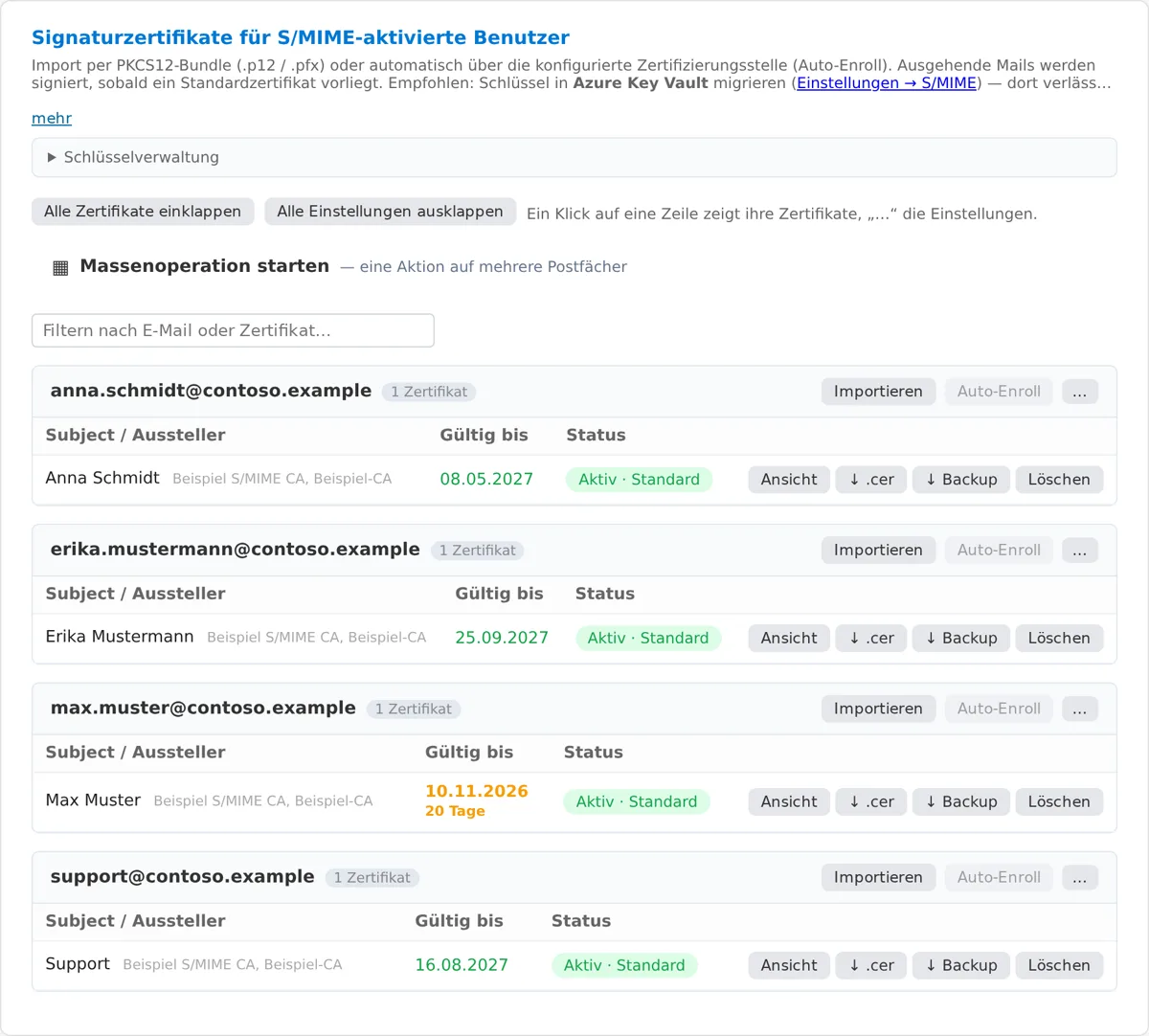
- Per sender: sign and/or encrypt, in every reinject mode.
- Keys in an HSM: private keys can live in Azure Key Vault. Signing goes through the Key Vault sign API; the key never leaves the HSM.
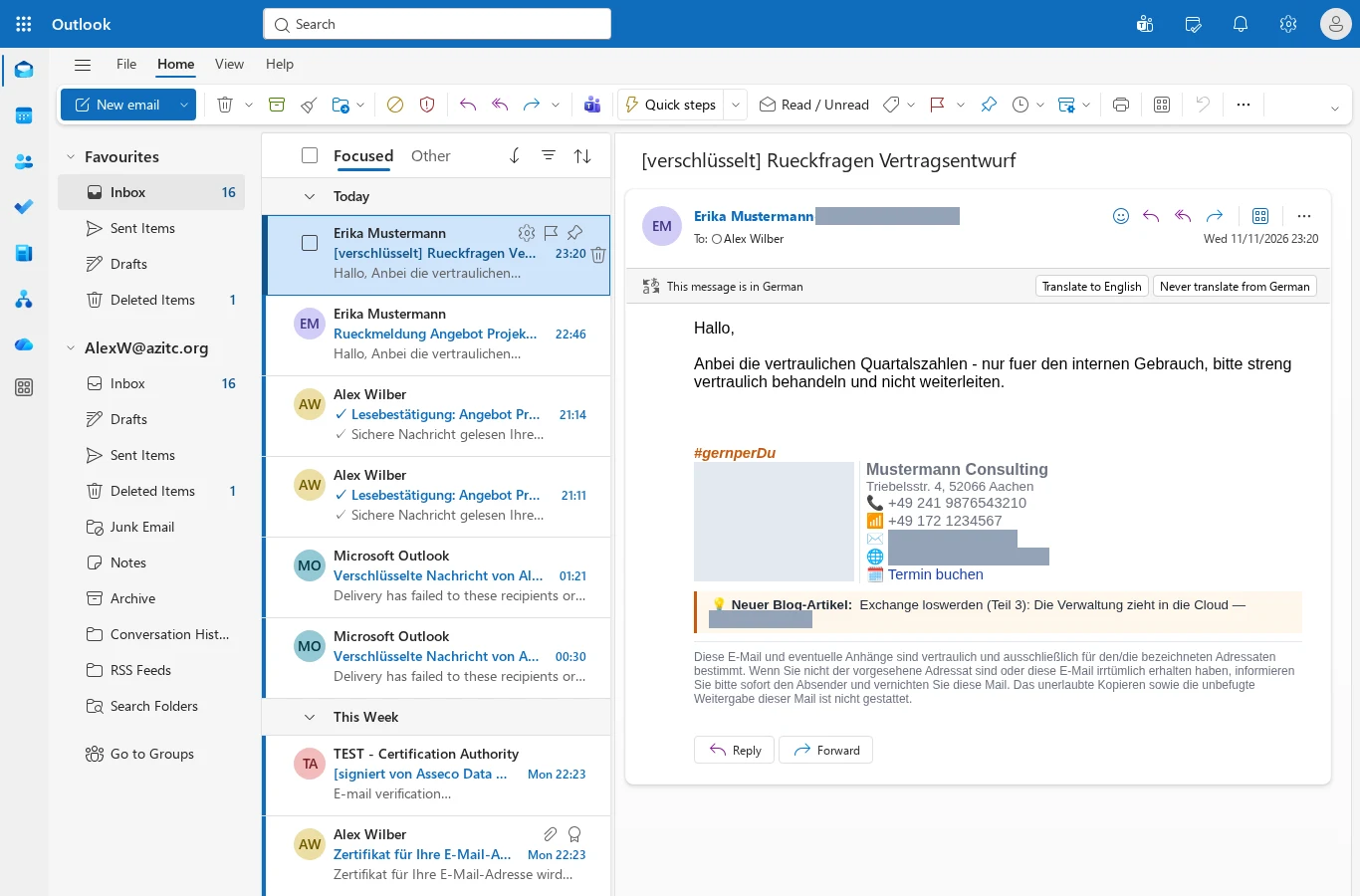
- Recipient certificates collect themselves: the Gateway takes the public certificates of external correspondents from their signed mail. After that you can write to them encrypted, without anyone importing certificates by hand.
- Even without a recipient certificate: if a recipient has none, encrypted mail goes through a secure web portal with an email one-time code, instead of failing or going out in clear text.
- Many at once: activate mailboxes and order and roll out certificates for many at the same time, with preview and quota check.

Where the certificates come from
- Free and automatic: issuance and renewal via CASTLE ACME (RFC 8823), without any action from users. Note, however, that the CASTLE PKI is not trusted by default: agree on it with your recipients beforehand, or go straight to paid certificates.
- Automatic renewal with advance notice: can be switched on per mailbox. About 30 days before expiry the Gateway announces the renewal, to the administration or to the mailbox owner, with a link to switch it off. The order follows about 14 days before expiry (both periods are defaults).
- Existing certificates: existing PFX/P12 certificates can be imported, including several per address.
- Your own DigiCert account: with a CertCentral API key the Gateway orders and renews certificates itself, billed directly by DigiCert. Available, but not yet proven in production.
- Paid certificates through the Signature Hub: in preparation.
How automatic issuance works
- Enable the mailbox for S/MIME and click order certificate.
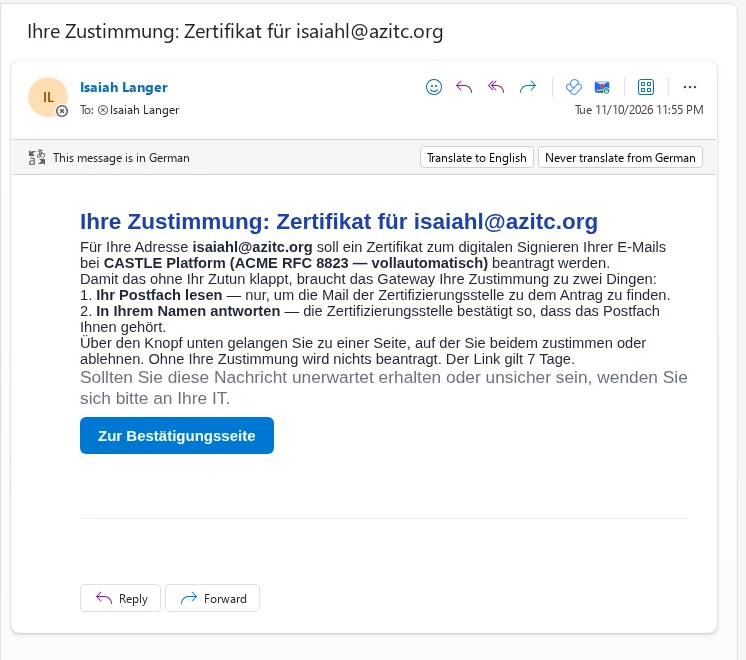
- The mailbox owner receives a mail and agrees on a confirmation page that the Gateway may read the mailbox and reply on their behalf.
- The Gateway requests the certificate from CASTLE, reads the authority’s challenge mail in the mailbox and answers it itself.
- About a minute later the certificate is there. Renewal is automatic, with advance notice.
Step by step: S/MIME guide (German).
Free up to 100 mailboxes. And worth every cent after that.
The Gateway is free up to 100 mailboxes, including in companies and with every feature on these pages. From the 101st mailbox the license costs €1.00 per mailbox and month plus VAT, with no minimum purchase. Nonprofit organizations use the Nonprofit Edition free of charge beyond 100 mailboxes, too.
The Gateway runs on your own hardware, for smaller environments even on a Raspberry Pi, or in Azure, also directly via the Azure Marketplace. Benchmark from the operations documentation: about €31 per month for the recommended Azure VM including disk and IP (Azure retail prices, region northeurope; about €22–24 with a one-year reservation). For very low volume a smaller VM from about $16 per month is enough, plus disk and IP (about $22 together). Prices change, so please recalculate in Azure before you start.
Install now More about licensing