Easy to operate
One web interface for setup, daily work and monitoring, self-hosted on any Linux host or entirely in Azure.
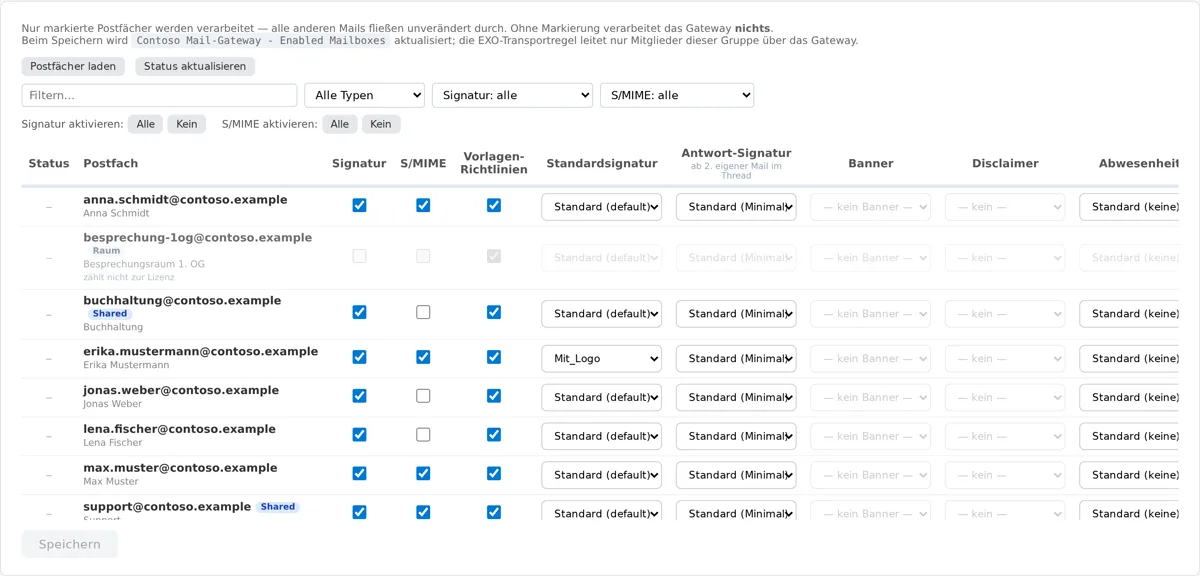
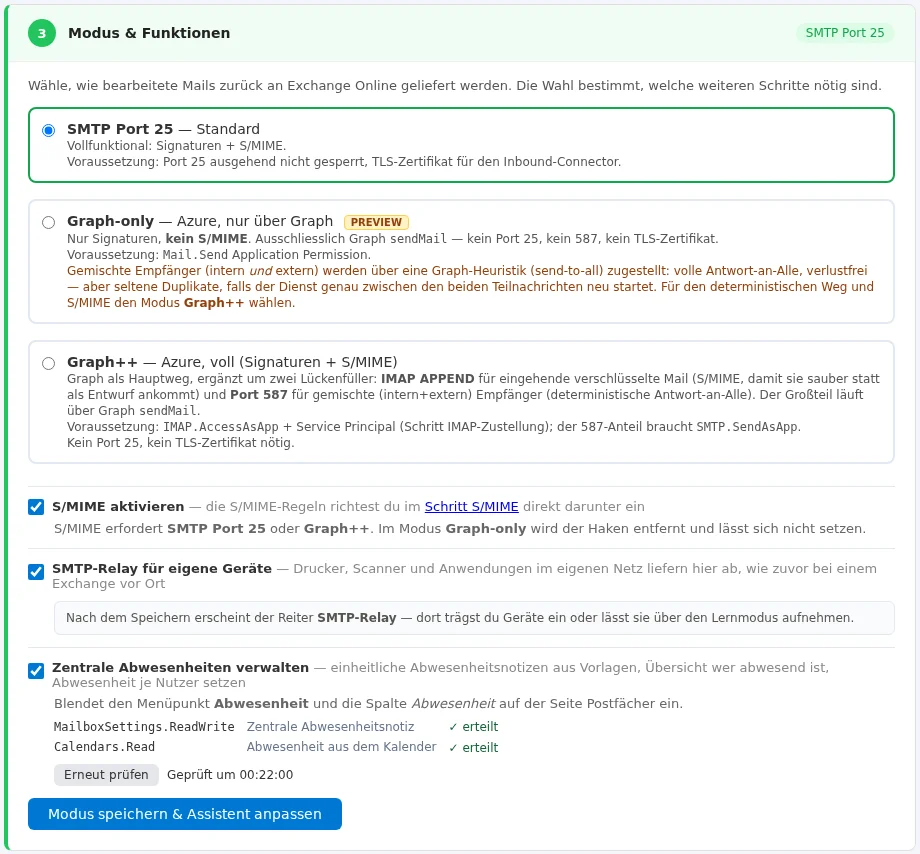
The screenshots and recordings show the German user interface.
Highlights
- Setup wizard: creates the app registration in Entra ID and sets up the connector, transport rule and distribution list in Exchange Online.
- Acceptance check of the whole installation: checks the external address, TLS, sign-in, Exchange permissions, mailboxes, return path, templates, notification and add-in sign-in, and tells you what to do for every gap.
- Permissions at a glance: shows for each permission of the app registration whether it has been granted, and adds missing ones.
- Rule probe: proves with a real pass whether the transport rule already routes a mailbox to the Gateway. Exchange picks up new members only after up to about three hours; the probe shows when that has happened.
- Teams app at the push of a button: if the Teams catalog holds an older version, the Gateway uploads the new one itself after a Teams admin signs in.
- Sign-in and roles: Entra ID with the roles admin, editor, campaign manager and self-service.
- Dashboard and monitoring: mail statistics, S/MIME counters, certificate expiry, and monitoring of RAM, disk and log.
- Update and backup in the interface.
- Light and dark, usable from 320 px width.
- Frugal: about 70–150 MB RAM in continuous operation. The documentation names 2 GB RAM as the practical minimum (examples: Raspberry Pi 4/5, Azure B2s), because the build briefly needs about 1.5 GB.
- Your data stays with you: all data stays in your tenant and on your host.
Exchange on-premises (hybrid)
If some mailboxes still live in the on-premises Exchange organization (2016, 2019 or Subscription Edition), these users get:
- Signature, banner, disclaimer at send time, just like mailboxes in Exchange Online.
- Central out-of-office via Exchange Web Services (EWS), with overview, self-service and calendar automation.
- Signature in OWA: on request the Gateway writes the signature into the OWA settings, and OWA inserts it when composing.
- S/MIME: signing, encryption and decryption at the Gateway, certificates by import or, with the EWS connection, from a certificate authority.
- Outlook add-in for on-premises accounts as well, deployed in the on-premises Exchange.
- Limited access: the EWS service account reaches only the members of an AD group that the Gateway creates and, on request, maintains.
Optional, off by default. Requires the return path mode SMTP port 25.
Prerequisites, permissions and the Azure script: installation guide (German).
New as preview
Two new features have their own pages: EXO outage protection for an Exchange Online outage, and the DMARC Analyzer for the DMARC reports of your domains.
Free up to 100 mailboxes. And worth every cent after that.
The Gateway is free up to 100 mailboxes, including in companies and with every feature on these pages. From the 101st mailbox the license costs €1.00 per mailbox and month plus VAT, with no minimum purchase. Nonprofit organizations use the Nonprofit Edition free of charge beyond 100 mailboxes, too.
The Gateway runs on your own hardware, for smaller environments even on a Raspberry Pi, or in Azure, also directly via the Azure Marketplace. Benchmark from the operations documentation: about €31 per month for the recommended Azure VM including disk and IP (Azure retail prices, region northeurope; about €22–24 with a one-year reservation). For very low volume a smaller VM from about $16 per month is enough, plus disk and IP (about $22 together). Prices change, so please recalculate in Azure before you start.
Install now More about licensing